
 Orders ship from the USA, Orders of $25 or more qualify for FREE Shipping in the USA
Support
Official BTECH support
Get the right answer. Get back on the air.
Type your radio model once to search official manuals, firmware, programming software, setup tutorials, troubleshooting articles, and U.S.-based support.
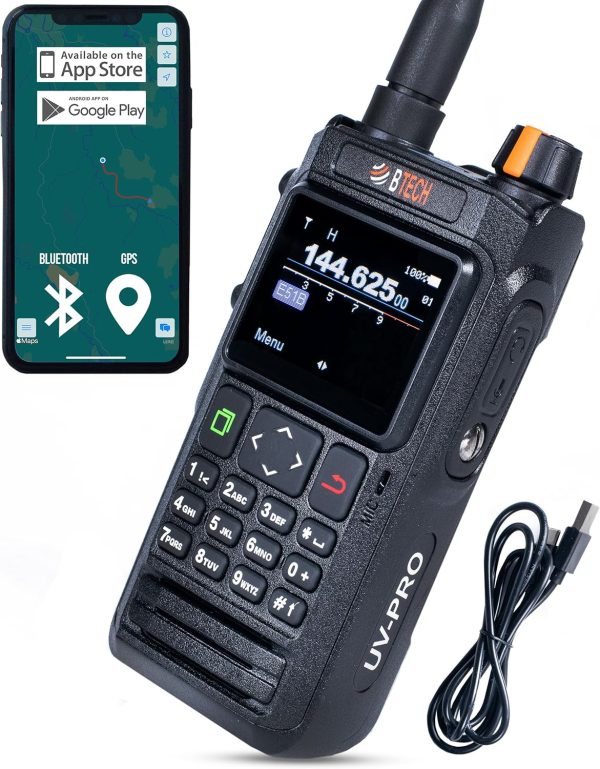
What can we help you do?
Start with the task—not a maze of support links.
Contact product support
Get help with setup, compatibility, operation, or a product question from our U.S.-based team.
Find manuals & setup help
Enter a model to search current and legacy manuals plus matching tutorials and blog articles.
Software & firmware
Download official CPS, apps, drivers, programming notes, and model-specific firmware.
Repair or warranty help
Tell us what failed, attach useful details, and start a secure product-repair request.
My account & orders
Review orders, addresses, downloads, and account details from one secure place.
Returns, warranty & refunds
See eligibility, timelines, shipping responsibilities, and the correct next step.
Watch setup tutorials
Follow visual programming, feature, and operation walkthroughs from BTECH.
Choose a radio & estimate range
Compare GMRS, FRS, MURS, amateur, and business radio with our interactive guide.
Type your model to search manuals and BTECH help articles
One search checks official manuals, programmer guides, firmware posts, setup tutorials, troubleshooting, and blog articles—including classic UV-5R, BF-888S, and UV-82 resources.
PDFBF-F8HP PROHandheld radio manualOpen ↗
PDFBF-F8HPHandheld radio manualOpen ↗
PDFBAOFENG UV-82HPCurrent dual-PTT handheldOpen ↗
PDFBAOFENG UV-82CCurrent commercial handheldOpen ↗
PDFDA-7X2Digital & analog handheldOpen ↗
PDFDMR-6X2DMR handheld radioOpen ↗
PDFDMR-6X2 PRODMR handheld radioOpen ↗
PDFFRS-A1License-free FRS radioOpen ↗
PDFFRS-B1License-free FRS radioOpen ↗
PDFGMRS-PROBluetooth & app radioOpen ↗
PDFGMRS-V2GMRS handheld radioOpen ↗
PDFMURS-V2License-free MURS radioOpen ↗
PDFUV-5X3Tri-band amateur radioOpen ↗
PDFUV-PROBluetooth & app radioOpen ↗
PDFGMRS-RPT5050W GMRS repeaterOpen ↗
PDFGMRS-20V220W mobile GMRS radioOpen ↗
PDFGMRS-50V250W mobile GMRS radioOpen ↗
PDFGMRS-50PROApp-programmable mobile radioOpen ↗
PDFUV-25X2 2nd GenDual-band mobile radioOpen ↗
PDFUV-25X4 2nd GenQuad-band mobile radioOpen ↗
PDFUV-50X2 2nd GenDual-band mobile radioOpen ↗
PDFUV-50PROApp-programmable mobile radioOpen ↗
PDFBTECH AMP SeriesVHF/UHF radio amplifiersOpen ↗
PDFBTECH MPR-AF1Current accessory receiverOpen ↗
Type a model to search manuals and matching BTECH help articles.
Discontinued and legacy model manuals
Official archived manuals for UV-5R, BF-888S, UV-82, earlier BTECH mobile radios, and other models people still use every day.
PDFBAOFENG UV-5R SeriesLegacy handheld familyOpen ↗
PDFBAOFENG BF-F8+Legacy handheldOpen ↗
PDFBAOFENG UV-82Discontinued handheld modelOpen ↗
PDFBAOFENG UV-3RLegacy handheldOpen ↗
PDFBAOFENG UV-3R+Legacy handheldOpen ↗
PDFBTECH GMRS-V1Legacy GMRS handheldOpen ↗
PDFBTECH MURS-V1Legacy MURS handheldOpen ↗
PDFGMRS-50X1Legacy mobile radioOpen ↗
PDFUV-25X2 / UV-25X4 / UV-50X2 1st GenLegacy X-Series guideOpen ↗
PDFUV-2501 / UV-5001Legacy mobile radiosOpen ↗
PDFUV-2501+220Legacy tri-band mobileOpen ↗
PDFUV-50X3Discontinued mobile radioOpen ↗
PDFER-V1Discontinued accessoryOpen ↗
Keep using it—or move forward without starting over
Open the archived manual, move saved channels safely with CHIRP’s import workflow, or compare the current BF-F8HP PRO upgrade. Never cross-load one model’s radio image or firmware into another.
Start with the exact radio and the service you need
Use the archived BF-888S manual and model-matched programming resources. If you are replacing a worksite fleet, choose the appropriate current radio service before choosing hardware.
Radio knowledge worth bookmarking
You do not need to own a BTECH radio to use these resources. Clear, practical education is how we earn trust before we ask for a sale.
Which radio service—and how much range?
Compare GMRS, FRS, MURS, amateur, and business radio. Model power, antennas, terrain, height, elevation, and repeater coverage.
Move channels without cross-loading the wrong image
Learn the safe CHIRP import workflow for UV-5R, UV-82, BF-F8HP, and other exact models supported by CHIRP.
Build and understand a digital contacts list
A practical DMR guide for operators researching BTECH, AnyTone, and other compatible digital-radio workflows.
Setup help, operating tips, and product news
Browse approachable articles that answer common two-way-radio questions and explain what features mean in real use.
Still using a UV-5R or older handheld?
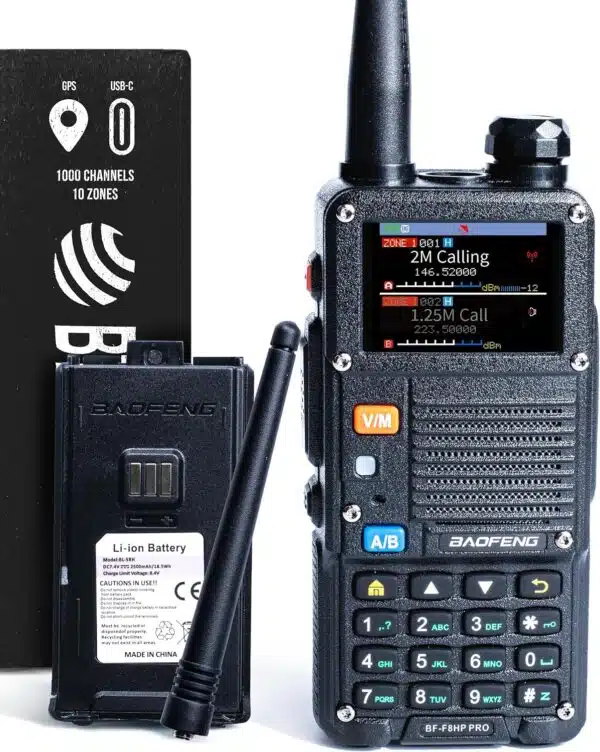
Keep the manual and knowledge you came for. When you are ready for a meaningful upgrade, the BF-F8HP PRO adds 10W power, tri-band operation, USB-C charging, GPS, aviation receive, 1,000 channels, and U.S.-based BTECH support.
Three steps to better support
Confirm the exact model
Check the label on the radio, under the battery, or on the box. Similar-looking radios can use different software, batteries, and firmware.
Use the matching official file
Download only the manual, CPS, or firmware that names your exact model. Never install firmware intended for another radio family.
Send the useful details
If you still need help, include the model, order information, what you expected, what happened, and any exact on-screen error.
Still stuck? We’ll help you find the next step.
Use the general support form for setup and product questions. Use the repair form for a failed or damaged product.
Need the right cable, battery, antenna, or mic?
Browse verified BTECH and Nagoya accessories using model compatibility filters. The right accessory can solve a setup issue without replacing the radio.
Before you contact us
Where do I find my radio’s exact model number?
Look on the front or top of the radio, the label beneath the battery, or the original box. Include every suffix—such as PRO, V2, X2, or X4—because it can identify different hardware or software.
Which programming software should I use?
Use the official software center and select the exact radio model. Some BTECH radios support CHIRP, while others require BTECH CPS, an app, or model-specific DMR software.
Can I install firmware from a similar BTECH model?
No. Firmware must match the exact model and, when stated, the hardware revision. Installing an incorrect file can make a radio unusable.
Can owners of AnyTone or other radio brands use these guides?
Yes. General education—such as radio-service comparisons, range planning, antenna concepts, repeater coverage, and DMR contact-list fundamentals—can help users of many radio brands. Product manuals, CPS, firmware, warranty, and compatibility claims remain model-specific; never install a BTECH file on a different brand.
What should I include in a support request?
Include the full model name, purchase or order information, a clear description of the issue, the steps already tried, and the exact text of any error. Photos can help when the issue is physical or display-related.
Should I use support or the repair form?
Use the support form for setup, programming, compatibility, and operation questions. Use the product-repair form when the radio or accessory has physically failed or needs warranty evaluation.
Looking for additional community-authored radio reference material? Miklor maintains an independent BaoFeng knowledge database. It is a third-party resource and not a replacement for official BTECH manuals, firmware, or warranty support.