
 Orders ship from the USA, Orders of $25 or more qualify for FREE Shipping in the USA
BTECH DMR-6X2 PRO Software & Firmware Repository
DMR-6X2 PRO software & firmware
Use the newest revised package for firmware 1.21 and CPS 1.22E. Prior versions remain available for documented recovery.
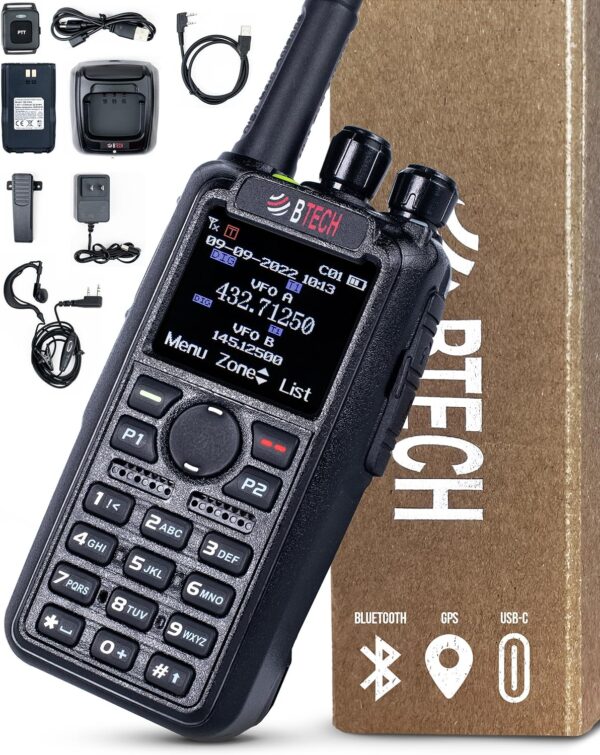
Current
Includes the revised CPS 1.22E, firmware 1.21, USB driver and guides.
Before you update
Build and move contact lists
Use the model-aware builder for the safest import. Always preserve a backup of the original codeplug before changing contacts.
Build a model-matched list
Select a BTECH or AnyTone radio and download a capacity-matched contact file.
Download the worldwide CSV
Get the complete contact dataset when your workflow needs the full file.
Convert an existing codeplug
Use NØGSG DMR Manager to move compatible codeplugs between supported DMR radios.
Previous releases
Use the current package above unless BTECH support or a documented recovery procedure directs you to an older version.
CPS & Firmware 1.21b
Public Firmware Update Version 1.21 (Revised CPS)
CPS & Firmware 1.21
Public Firmware Update Version 1.21
Show 5 older releases
CPS & Firmware 1.20
Public Firmware Update Version 1.20
CPS & Firmware 1.11
Public Firmware Update Version 1.11
CPS & Firmware 1.10
Public Firmware Update Version 1.10
CPS & Firmware 1.01J
Public Firmware Update Version 1.01J
CPS & Firmware 1.01
Original Public Firmware Release Version 1.01
Get notified when a new DMR package is published
This dedicated list sends notices only for new DA-7X2, DMR-6X2 and DMR-6X2 PRO firmware or software packages. You will not be added to the general BTECH newsletter or promotional email list.
DMR software questions
Start here before opening an older package or attempting a recovery.
Which package should I download?
Use the current model-matched package at the top of this page. Older versions are retained for recovery and reference.
Does CPS run on macOS or Linux?
The manufacturer CPS is Windows software. CHIRP does not program these DMR models. See the programming software guide for Windows-emulation options on macOS and Linux.
Should I back up the codeplug?
Yes. Read the radio in CPS and save a copy before importing contacts or installing firmware.
Is a reset required?
Follow the instructions included with the selected package. Back up the codeplug first and apply any reset or migration step stated in that release’s notes.
Need the radio or verified accessories?
Return to the model page or shop compatible parts selected for this radio family.