
 Orders ship from the USA, Orders of $25 or more qualify for FREE Shipping in the USA
BTECH compatible accessory
PC03 USB-A Programming Cable
$22.49
BTECH PC03 FTDI Universal Plug & Play USB Programming Cable for BTECH, Baofeng, Kenwood Radios – Compatible with UV-5R, BF-F8HP, GMRS-V2, UV-82HP & More – Easy Setup, No Driver Needed
- Ships from the USA
- U.S.-based product support
- Secure checkout
- Returns & warranty support

BTECH PC03 (USB-A) FTDI: Universal USB Programming Cable for Two-Way Radios with the K1 Accessory Jack
Genuine Plug-&-Play | Kenwood K1 Jack | CHIRP-Ready | Windows • macOS • Linux
Universal radio programming cable designed for use on the Kenwood K1 Jack standard commonly used on many two way radios including: Baofeng, BTECH, Kenwood, Retevis, TYT, pxton, Tidradio, Kenwood, Wouxun, Radioddity, along with several more brands.
Thousands of hams, preppers, and first-responders have already ditched the 'other' cables for the BTECH PC03 family—join the community that programs right the first time.

Compatible with the Latest Baofeng and BTECH Radios Radios
for BAOFENG radio: BF-F8HP PRO, BF-F8HP, UV-5R, UV5R, UV-32, UV-17R, UV-10R, UV-82/UV-82L, UV-82HP, UV-82C, and many other Baofeng Clones
for BTECH radio: UV-5X3, GMRS-V2, MURS-V2, FRS-B1, FRS-A1
for Kenwood radio: TH-F6,TK-2000/3000 series, Kenwood KPG, Kenwood TH, Kenwood TK radio model series for HYT radio: TC286 386 2685 3865 6685, TC 278 378 388, TC 2100 2088 for Retevis radio: RT-29,H-777,RT-5R,RT-5RV,RT-B6,R888s plus,RT-6S,RT 1,RT 2 for Retevis / TYT / Wouxun / Tidradio / pxton / Radioddity
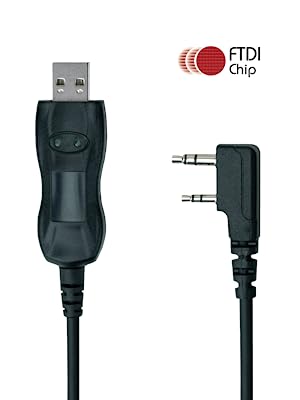
Genuine FTDI FT232RL Chipset
The industry’s gold standard for flawless data transfer. Expect instant driver recognition on Windows 11/10, macOS 14+, and every major Linux distro—no “mystery COM ports” or rollback tricks.
CHIRP & OEM CPS Ready: Clone, edit, and back-up channel lists in minutes. Push repeater pairs, NOAA, GMRS, or custom emergency banks without re-typing the same data twice.
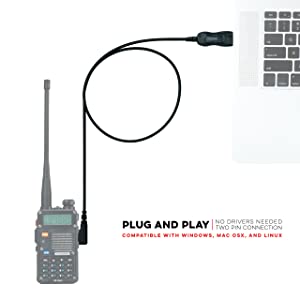
Standard USB Type-A Plug
Plug straight into laptops, desktops, and mobile workstations—no dongles, no weak links. You’re ready wherever duty calls.
- Plug into your standard USB-A port.
- Watch the FTDI driver auto-install.
- Launch CHIRP or CPS → Read radio → Edit → Write.
Enjoy quick, clean, uninterrupted data flow
Common Questions and Answers:
What’s in the Box- BTECH PC03 FTDI USB-A to Kenwood K1 Programming Cable
- Quick-start guide with driver & software links
- Backed by BTECH’s 12-month USA support
- Q: Do I need special drivers?
- A: NO – those procedures found online are for counterfeit cables. This cable will automatically install with the drivers on your computer.
- Q: My PC didn't auto-install - what now?
- A: Visit FTDI's website and grab the latest VCP driver; installation takes under a minute.
- Q: I need help using the software
- A: Miklor is an excellent resource site for BTECH and BaoFeng FAQs and Software questions.
- Q: Does this work with CHIRP?
- A: Absolutely. Select the correct radio model within CHIRP and begin programming.

Why Choose BTECH?
BTECH focuses solely on radio technology—designing, testing, and supporting every product here in the USA. That laser focus means better firmware, better accessories, and faster stateside support when you need it.
Product details & support
Features and Details
- The PC03 is the recommended hassle free radio programming cable designed for use on the Kenwood K1 Jack standard commonly used on many two way radios including: Baofeng, BTECH, Kenwood, Retevis, TYT, pxton, Tidradio, Kenwood, Wouxun, Radioddity, along with several more brands.
- The PC03 is the genuine USB programming cable you want for easily connecting your radio to your computer. No Driver Issues - No old drivers needed - Plug and Play
- Unlike the common "clone" USB programming Cables available Amazon - These cables just work! You will still need need to download the programming software needed for your radio.
- Works with BaoFeng's Latest Radios: UV-5X3, BF-F8HP, and UV-82HP
- BTECH is proud to be in the USA, which allows you to have the best available local support for any issue that may arise. BTECH only engineers and develops radio products. That brand focus allows you to have the best available radios and accessories with the most features, with real USA warranty and support.
Product Information
| Product Dimensions | 7.25 x 6 x 3 inches |
|---|---|
| Item Weight | 0.634 ounces |
| Item model number | PC-03 (PC03) Programming Cable |
| Is Discontinued By Manufacturer | No |
| Date First Available | January 13, 2014 |
| Manufacturer | BTECH |
Complete this setup
Complementary products selected from shared radio fit, connector, tuning, and verified product relationships.
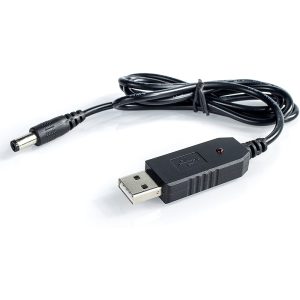
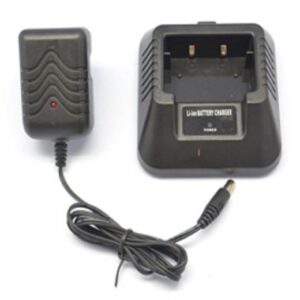
Power & charging
Audio & PTT
Cables & adapters





mickeyboy2005 (verified owner) –
This works with the Quansheng UV-K5. I had to download the driver that is listed on the piece of paper you receive with the cable.
Make sure that “Ports (COM & LPT)” is listed on device manger on your PC. Newer computers like mine didn’t have it so I had to do this:
Run Device Manager on your PC then choose the tab “Action” > “Add Legacy Hardware” > “Install the hardware” > “Ports” > “Communication Ports”.
Reviewed on PC03 USB-C Programming Cable
Chase –
Works flawlessly on the UV-5RA but does not work on the UV-5R mini. Fortunately, the pair of minis I purchased came with a USB-A cable that I was able to use. I would prefer to do both on USB-C as my M4 MacBook Pro and M4 Mac Mini only have USB-C ports. I must use a dongle or my Satechi hub in order to use the USB-A cable. I like to reduce the number of dongles and adapters required.