 Orders ship from the USA, Orders of $25 or more qualify for FREE Shipping in the USA
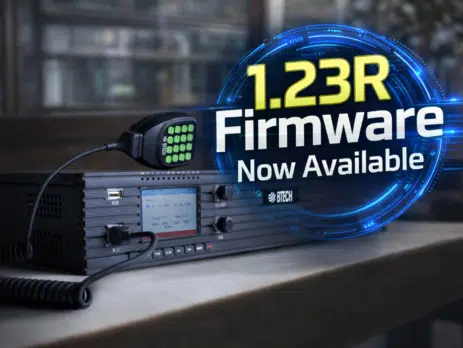
GMRS-RPT50 Firmware V1.023R Now Available
Thursday, March 19, 2026
ARLINGTON, SD – BTECH today announced the release of Firmware V1.023R for the GMRS-RPT50 bringing a focused set of refinements that improve day-to-day repeater operation, display accuracy, and update clarity. This release releases primarily addresses a modulated hum heard with CTCSS tones in certain unique setups, corrects per-channel low/high power display behavior, and aligns the firmware on the repeater to display the actual version number.
Built on the V1.021R relaunched foundation
These updates build on the major usability improvements introduced in V1.021R, including reorganized front-panel menus, CW ID level control, Reverse Burst TX for quieter squelch tails, adjustable CW audio output levels, a redesigned CPS, and verified timer accuracy for both the ID timer and TOT. With V1.023R, BTECH continues refining the platform with real-world fixes and operator-focused polish.
Fix for modulated hum with CTCSS in certain setups
This firmware is centered on a targeted audio fix. In some unique user configurations, operators reported a modulated hum when CTCSS tones were in use. This update corrects that behavior, improving on-air audio cleanliness for affected systems while preserving normal repeater functionality.
While the issue did not affect every installation, it could appear in certain specific setups where tone operation interacted with the broader system environment.
Correct channel power display and cleaner file naming
This firmware also introduces two practical usability improvements. First, it corrects how channel low and high power settings are shown on the repeater, so transmit power now displays correctly by channel. Second, the firmware displayed on the repeater itself is now named to match the actual version number, reducing confusion during installation and version verification.
For operators managing multiple repeaters or maintaining standardized site documentation, these details matter. Accurate channel power indication makes it easier to verify configuration at a glance, while proper firmware naming helps avoid mistakes during update preparation and recordkeeping.
Firmware V1.023R for the BTECH GMRS-RPT50 is available now.
Experience the GMRS-RPT50 Advantage
Building a cleaner, more dependable GMRS setup? The GMRS-RPT50 is designed for real repeater use, with rack-ready operation, flexible programming, and a firmware roadmap that keeps improving the experience over time. With features like Reverse CTCSS support, refined on-device menus, and a redesigned CPS workflow, it is a great time to upgrade your site.
How to Update Your Firmware
Important Warning for Firmware Updates
Note: During the update, do not disconnect power or USB. Interrupting the firmware write can corrupt the install. If you run into issues, re-enter Firmware Update Mode and re-run the update using the correct 1.023R firmware file.
To get the GMRS-RPT50 Firmware 1.023R Update Bundle, click the Download Firmware V1.023R button above. The bundle includes the 1.023R firmware file, the IAP programming tool, and the updated CPS.
Step 1: Extract the Firmware Bundle and Install the IAP Programmer Tool
- Download the GMRS-RPT50 Firmware 1.023R update bundle and extract the ZIP to a folder on your computer.
- Inside the extracted folder, locate and run: IAP(setup).exe
- Follow the prompts to install the IAP Programmer Tool.
- Launch the IAP Programmer Tool from your Start Menu/Desktop.
Step 2: Put the GMRS-RPT50 into Firmware Update Mode
- Power OFF the GMRS-RPT50.
- Press and hold the Green Key while powering the repeater ON.
- If done correctly, the LCD remains OFF (blank display).
- Connect the repeater’s front USB port to your PC using a USB-A to USB-A cable.
Step 3: Select the Correct COM Port
- In the IAP tool, click Seek-Com to detect available ports.
- Select the COM port that matches the connected GMRS-RPT50.
Step 4: Load the 1.023R Firmware File
- Click Open APP File.
- Select the 1.023R firmware .bin file included in the update bundle.
Step 5: Start the Firmware Update
- Click IAP to begin.
- The tool will write the firmware in blocks. Do not disconnect power or USB during this process.
- Wait until the IAP tool confirms the update is complete.
Step 6: Close the Tool and Reboot the Repeater
- Click Close in the IAP tool (safe disconnect).
- Unplug the USB cable.
- Power the repeater OFF, then power it ON normally.
- The repeater should now boot on Firmware 1.023R.
Step 7: Program Using the New CPS
- Install and open the new CPS included in the ZIP.
- Choose one of the following:
- Read from the repeater and save your updated configuration, or
- Load the included blank codeplug to build a clean configuration from scratch (especially useful after a factory reset).
- Note: The front-panel menu order has been updated to match the new organization, so setup and verification at the repeater is faster.
Finished!
That’s it. Your BTECH GMRS-RPT50 is now fully updated to Firmware 1.023R.
















Comments (3)
Will this update wipe out any of my personal settings?
No it will not but you can save a copy of your image before update using the new Programming CPS included
Just so you know, the CW ID volume by default is set to zero so you won’t hear it go off on your radio until you turn it up in the software. That should be set to 5 by default, not zero.
So other than that the update was successful and went smoothly.