
 Orders ship from the USA, Orders of $25 or more qualify for FREE Shipping in the USA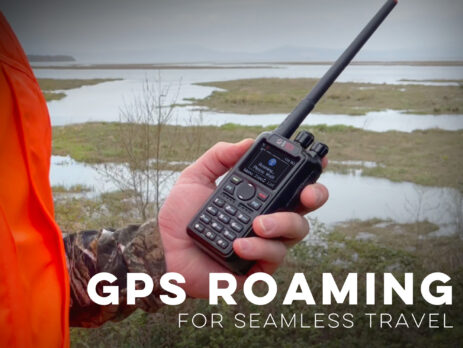
Set up DMR roaming without guesswork
The short version
Roaming chooses among channels you have already proved
Build and test one DMR channel for each repeater that carries the intended network and talkgroup. Add those proven channels to a roaming list, start with conservative thresholds, and test in familiar coverage.
Roaming is not scan, and it cannot discover a repeater you never programmed. GPS-assisted roaming uses location rules where supported; signal-based roaming tests programmed candidates. Both depend on accurate channels and network policy.
Models covered
The method is shared. Controls and GPS behavior differ.
Use the exact model’s current manual/CPS for roaming lists, zones, thresholds, auto/manual triggers, and GPS associations. Do not copy a DA screen or limit into an older radio.
Compare models and required versions
| Model | Verified procedure | Required version | Important difference |
|---|---|---|---|
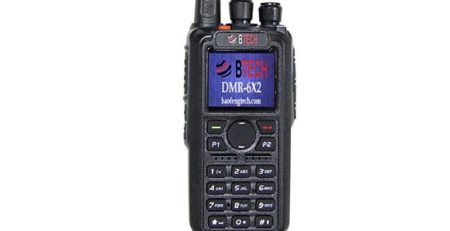
| DMR-6X2 | Program candidates, roaming zone/list, and trigger behavior | Firmware 2.01 or later for DMR roaming; current CPS | Model-specific roaming zones and thresholds. |
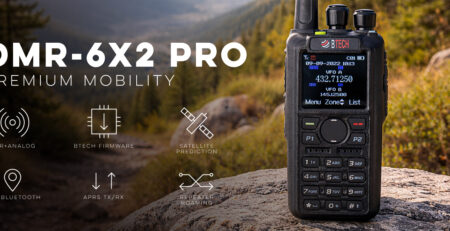
| DMR-6X2 PRO | Program candidates, roaming list, manual/auto/GPS options | Current PRO firmware/CPS | GPS-assisted roaming supported; screen names and limits are PRO-specific. |
| DA-7X2 | Program candidates, roaming lists, manual/list/GPS workflow | Current DA firmware/CPS | True dual-receiver operation does not replace correct roaming candidate programming. |
Build a short, testable roaming list
-
Create one clean channel per repeater
Keep the intended talkgroup/contact purpose consistent while entering each repeater’s exact frequency pair, color code, slot, power, and admit criteria.
-
Name channels by place or site
Use names that reveal where the radio should be, such as CITY-NORTH and CITY-SOUTH, rather than several identical talkgroup labels.
-
Create the model’s roaming list or zone
Add only verified candidates that belong to the same travel/workflow. A giant statewide list can slow decisions and hide a bad channel.
-
Set thresholds conservatively
A trigger that is too eager can bounce between sites; one that is too reluctant can stay on a weak channel. Begin with model defaults or documented starting values.
-
Associate GPS areas only when maintained
For GPS-assisted roaming, define accurate regions/radii and keep them current. Location rules can choose a candidate area; they cannot prove the repeater is reachable or online.
-
Test manual before automatic roaming
Use the model’s manual roaming/search action and watch which channel wins. Drive or move only after the stationary candidate set behaves predictably.
-
Record poor handoffs and adjust the list
Note places where the radio chooses the wrong site, no site, or oscillates. Correct channels/thresholds/list membership instead of assuming the receiver is defective.
Troubleshooting
| What happened | Likely reason | Next check |
|---|---|---|
| Roaming never finds a site | Candidate channel, threshold, list assignment, or repeater coverage is wrong | Test each channel normally at the same location, then verify list membership and trigger settings. |
| Radio stays on a weak site | Leave threshold/hysteresis is too conservative or auto roaming is not active | Verify the actual received signal and adjust one documented threshold at a time. |
| Radio jumps constantly | Candidates overlap and thresholds are too eager | Reduce the list, increase stability/hysteresis using model controls, and retest at one boundary. |
| GPS roaming chooses a dead repeater | Location area is correct but site is offline/out of range | Use signal validation/manual roaming and update the location/repeater plan; GPS cannot test the RF path. |
| Voice works but APRS/text does not after roaming | The new site does not carry the same data service or destination | Verify data routing per repeater/network rather than treating roaming as service equivalence. |











Leave a Reply