
 Orders ship from the USA, Orders of $25 or more qualify for FREE Shipping in the USA
Build scan lists and priority channels on BTECH DMR radios
The short version
Build a short scan list for one job, then attach it to the channel that starts it
A zone is the list you browse. A scan list is the set the receiver checks. Priority channels get extra checks. The revert setting controls where PTT goes during or after scan. Roaming serves a different job: choosing among equivalent DMR sites.
Start with three to six channels whose traffic you can create or observe. Prove one list, then add one priority channel. All three BTECH digital models support up to 250 scan lists, up to 50 channels per list, and multiple scan groups linked to one launching channel.
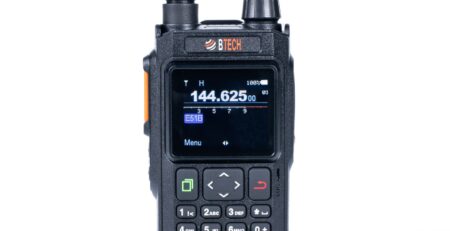
Models covered
Scan lists, priority channels, and linked scan groups are shared across the BTECH digital family
Use current exact-model CPS for list membership, priority choices, look-back timing, revert behavior, and key/menu actions. Ordinary scan works in Channel mode, not VFO mode.
Compare models and required versions
| Model | Verified procedure | Required version | Important difference |
|---|---|---|---|
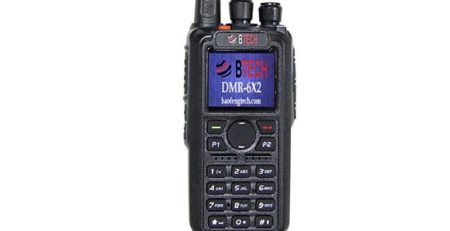
| DMR-6X2 | Build scan lists, set two priority channels, and link multiple lists to a channel | Current model firmware/CPS | Up to 250 lists; up to 50 channels per list; multiple scan lists can be linked to one channel. |
| DMR-6X2 PRO | Build scan lists, set two priority channels, and link multiple lists to a channel | Current PRO firmware/CPS | Up to 250 lists; up to 50 channels per list; multiple scan lists can be linked to one channel. |
| DA-7X2 | Build scan lists, set priority channels, and link multiple lists to a channel | Firmware 1.05 and matching CPS for linked/priority additions | Up to 250 lists; up to 50 channels per list; the DA menu/CPS layout differs from the earlier models. |
Build and test a basic scan list
-
Create a short named scan list
Open Common Settings → Scan List or the exact model’s scan area. Use a purpose-based name and add only verified channels needed for the test.
-
Choose channel order and dwell behavior
Put the most important or fastest-to-check channels where the model expects them. Use current defaults unless a documented timing problem calls for change.
-
Set one priority channel
Select Priority Channel 1. Add a second priority only when two channels truly deserve extra checks; more priority look-backs can slow the rest of the list.
-
Choose the revert/PTT channel
Set whether PTT returns to the selected channel, last-called channel, or another documented choice. Read the label twice—this controls where the radio may transmit while scanning.
-
Assign one list or several linked lists to a channel
Open the channel that should start this scan workflow. Select one scan list for a simple setup, or add several task-focused lists in the model’s linked scan-list fields. A list can exist in CPS without being assigned to the launching channel.
-
Write and test with controlled traffic
Use Channel mode, start scan, and create or observe traffic on a normal channel and the priority channel. Confirm scan stops, resumes, and reverts as intended.
Link several focused scan groups to one launching channel
| Feature | Use it for | Do not confuse it with |
|---|---|---|
| Zone | Browsing an ordered set of channels | A scan list; not every zone channel is automatically scanned |
| Scan list | Checking selected channels for activity | Digital Monitor; scan still uses each channel’s programmed filters |
| Priority channel | Checking one or two channels more often | A guaranteed interrupt; look-back timing still matters |
| Linked scan groups | Assigning multiple task-focused scan lists to the channel that should launch the combined workflow | One oversized list or a zone; each linked list keeps its own 50-channel limit |
| Roaming | Choosing among equivalent programmed DMR sites | Listening for arbitrary activity across unrelated channels |
Troubleshooting
| What happened | Likely reason | Next check |
|---|---|---|
| Scan starts but finds nothing | List empty/not assigned, channels invalid, VFO mode, or receive filters too narrow | Test channels normally, use Channel mode, confirm list membership and channel assignment. |
| Scan stops on too much traffic | List too broad or channels use carrier squelch/Digital Monitor | Split by purpose and restore normal receive filtering. |
| Priority traffic is missed | Look-back timing/list membership/priority assignment wrong | Generate a controlled priority signal and adjust one documented timing control at a time. |
| PTT goes to the wrong place | Revert channel or last-called behavior differs from expectation | Stop transmitting, inspect the exact revert option, and retest while watching the display. |
| Linked groups are unavailable or do not run | Exact-model firmware/CPS mismatch, lists are not linked to the selected channel, or the radio is in VFO mode | Use matching software, link the intended lists to the launching channel, and test in Channel mode. DA-7X2 requires firmware 1.05 for this workflow. |








Leave a Reply