
 Orders ship from the USA, Orders of $25 or more qualify for FREE Shipping in the USA
Choose the right firmware, CPS, and codeplug for your BTECH DMR radio
The short version
Match every file to the radio before you connect it
DMR-6X2, DMR-6X2 PRO, and DA-7X2 share programming ideas. Their firmware, CPS installers, codeplugs, reset steps, update keys, optional boards, and recovery files are not interchangeable.
Confirm the model shown on the radio. Open its official BTECH repository and back up with the CPS that already works. Keep the package together and follow its README in order.
Models covered
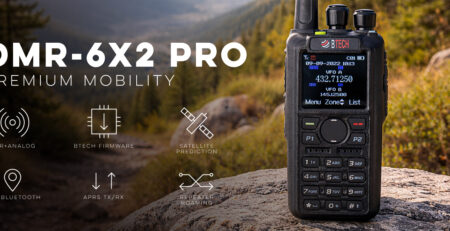
Let the exact model choose the repository
Never choose a package by appearance, platform ancestry, a forum link, or the fact that CPS can open the file. The exact model and package README control the update.
Compare models and required versions
| Model | Verified procedure | Required version | Important difference |
|---|---|---|---|
| DMR-6X2 | DMR-6X2 repository and package only | Current package 2.21B / firmware 2.21 | Download the complete current DMR-6X2 package from the official repository and keep its included files together. |
| DMR-6X2 PRO | DMR-6X2 PRO repository and package only | Firmware 1.21 / CPS 1.22E | PRO firmware/CPS/codeplugs are not base-radio or DA files. |
| DA-7X2 | DA-7X2 repository and exact branch only | Current public DA package | DA standard/NXDN branch choices and NR-board procedures are DA-only. Its reset keys, update keys, and recovery routes are package-specific and must not be carried to another model. |
Check five items before updating
| Match | What must agree | If it does not |
|---|---|---|
| 1. Model | Radio label and Device Info match the repository/package | Stop; open the exact model repository |
| 2. CPS | Installer belongs to that model and package | Do not substitute a similar AnyTone/BTECH CPS |
| 3. Payload | Firmware/icon/board members remain together as packaged | Do not rename, mix, or extract individual members from another release |
| 4. Procedure | README names the same update mode, key sequence, speed, reset, and restore order | Follow the package—not a remembered sequence from another model |
| 5. Recovery | Any recovery route is explicitly assigned by the model package or BTECH Support | Do not experiment with board or forced-update files |
Update while preserving a tested backup
-
Back up with the currently working CPS
Read before installing a new CPS. Reopen the saved .rdt and keep a second copy.
-
Read the package from START HERE
Follow the model package’s start document, release notes, checklist, and update guide. Do not jump directly to the largest executable or payload.
-
Keep package members together
Firmware can include related icon/data members or optional board components. Do not rename or mix files across versions, branches, or radios.
-
Use stable power and direct USB
Charge the battery, connect directly, prevent computer sleep, and do not disconnect or close the updater until it reports completion.
-
Perform only the documented reset
If the package requires a reset, use its exact keys and sequence. A reset for one radio is not a recovery procedure for another.
-
Restore, read back, and test
Write the reviewed working codeplug, read the radio again, compare identity/channels/options, and perform a short authorized receive/transmit test before declaring success.
Troubleshooting
| What happened | Likely reason | Next check |
|---|---|---|
| CPS opens the file but model information differs | Wrong codeplug/CPS or unsafe cross-model migration | Close without writing and read the exact radio into matching CPS. |
| Updater cannot see the radio | Wrong update mode, COM port, cable state, driver, or another tool owns the port | Return to the exact package guide, check Device Manager, and retry only the documented normal path. |
| Firmware write finished but settings vanished | Required post-update reset occurred without a restored codeplug, or wrong data sections were written | Open the validated backup in the new matching CPS, review it, restore, and read back. |
| Device Info shows null board data | A component-specific fault may exist | Stop general updates and contact BTECH Support with exact model, versions, screenshots, and package used. |







Leave a Reply