
 Orders ship from the USA, Orders of $25 or more qualify for FREE Shipping in the USA
Find an Analog CTCSS or DCS Tone on BTECH DMR Radios
The short version
Let the radio test tones against one steady analog signal
Start CDT Scan on a verified analog channel and keep the source transmitting long enough for a match. Do not save the result until the same tone opens audio in a second controlled test.
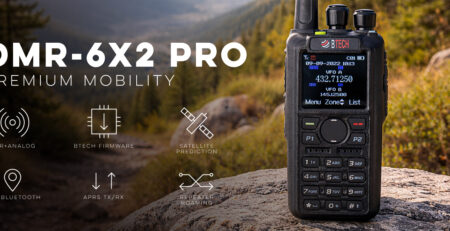
DMR-6X2, DMR-6X2 PRO, and DA-7X2 all provide CDT Scan for analog CTCSS and DCS discovery. It does not scan DMR color codes or decode DTMF, 2-Tone, or 5-Tone signaling.
Models covered
CDT Scan works on all three BTECH digital handhelds in analog mode
A discovered tone is an access/filter setting, not privacy, encryption, or permission to transmit. Verify frequency and authorization separately.
Compare models and required versions
| Model | Verified procedure | Required version | Important difference |
|---|---|---|---|
| DMR-6X2 | Set RCDT to CTC or DCS, then open Menu > Scan > CDT Scan | Current model firmware | The shared menu workflow is verified; a programmable-key shortcut is optional. |
| DMR-6X2 PRO | Set RCDT to CTC or DCS, then open Menu > Scan > CDT Scan | Current model firmware | Use matching PRO CPS only if you add a programmable-key shortcut. |
| DA-7X2 | Open Menu > Scan > CDT Scan, or use an assigned programmable-key shortcut | Current public DA firmware | Keep separate from Freq Sync, DTMF, 2-Tone, 5-Tone, and DMR Digital Monitor. |
Find the tone and verify it twice
-
Select the analog receive channel
Set the correct receive frequency and use normal analog FM mode. Remove an incorrect receive tone if it is preventing you from hearing the test signal.
-
Choose the tone family and start CDT Scan
On the selected analog channel, set RCDT to CTC or DCS so the radio knows which family to test. Then open Menu > Scan > CDT Scan. You may also assign CDT Scan to a programmable key in the exact-model CPS, but the shortcut is not required.
-
Keep the source transmitting
Use a steady test carrier with the unknown tone. Watch for the search to stop or display a candidate value.
-
Write down the first result
Do not immediately make it permanent. Note whether it is CTCSS frequency or DCS code/polarity.
-
Repeat the search
Clear/restart discovery on a second steady transmission. A repeat match is stronger evidence than one brief stop.
-
Verify normal receive
Enter the candidate as the receive tone, turn discovery off, and confirm audio opens for the intended source but stays closed for an untoned or differently toned control signal.
Keep four look-alike features separate
| Feature | What it identifies | What it does not identify |
|---|---|---|
| CTCSS/DCS discovery | Analog sub-audible receive tone/code | DMR color code, DTMF number, 2-Tone/5-Tone sequence |
| Digital Monitor | Received DMR color code/slot/talkgroup/call activity | Analog CTCSS/DCS |
| Freq Sync | Copies or coordinates supported channel/frequency information on models that provide it | A guaranteed hidden analog tone on every model |
| DTMF / 2-Tone / 5-Tone | Separate signaling/dial/selective-call formats | The continuous sub-audible squelch code |
Troubleshooting
| What happened | Likely reason | Next check |
|---|---|---|
| Search never stops | Signal too short/weak, wrong frequency/mode, or testing the wrong tone family | Use a steady strong analog source and try CTCSS versus DCS deliberately. |
| Different result each time | Weak/noisy signal or brief keying | Improve signal quality and repeat with a longer controlled transmission. |
| Saved tone still does not open audio | DCS polarity, receive frequency, bandwidth, or source changed | Verify the complete analog channel and repeat with the same source. |
| Digital repeater traffic is present | CTCSS/DCS discovery is the wrong tool | Use Digital Monitor and verify DMR color code, slot, and talkgroup instead. |
| CDT Scan is unavailable or tests the wrong family | The channel is digital, or RCDT is not set to the intended CTCSS/DCS family | Return to an analog channel, set RCDT to CTC or DCS, then reopen Menu > Scan > CDT Scan. |






Leave a Reply